In the last year, AIGC has shifted from concept hype to engineering hype. Base models keep getting stronger; upper‑layer frameworks keep lowering the bar for building apps.
I started building LLM apps systematically via tools like Ollama: first get a minimal chain working locally, then gradually add engineering capabilities.
How LLM Architectures Evolved
Early on, context length was tiny. The only usable pattern was:
- Give the model a short prompt
- Maybe add some inline context
- Let it "continue the text"
This simple setup already solved a bunch of tasks.
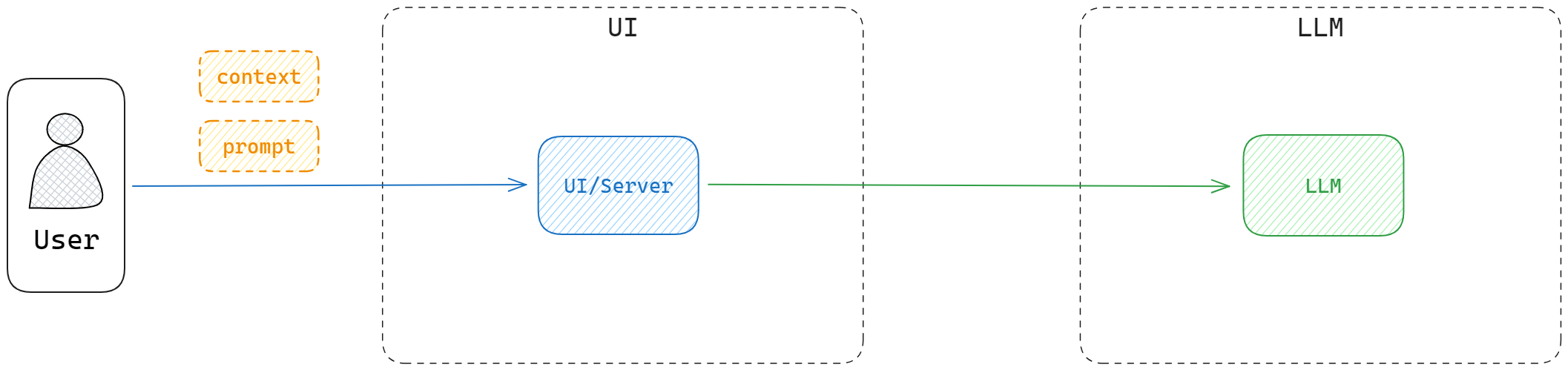
- Chrome prompt collection: https://github.com/Anddd7/poc-aigc/blob/main/chrome/image.png \
- LangChain prompt templates: https://github.com/Anddd7/poc-aigc/blob/main/langchain/index.ipynb
But the model’s knowledge is bounded by its training data. Ask about recent events and it will hallucinate. You can inject extra text into the context, but that:
- Doesn’t scale to large docs (PDF/Word, etc.)
- Is brittle and expensive in tokens
The next step was vectorization – convert supplemental information into embeddings and retrieve relevant chunks per query, then attach them to the prompt.
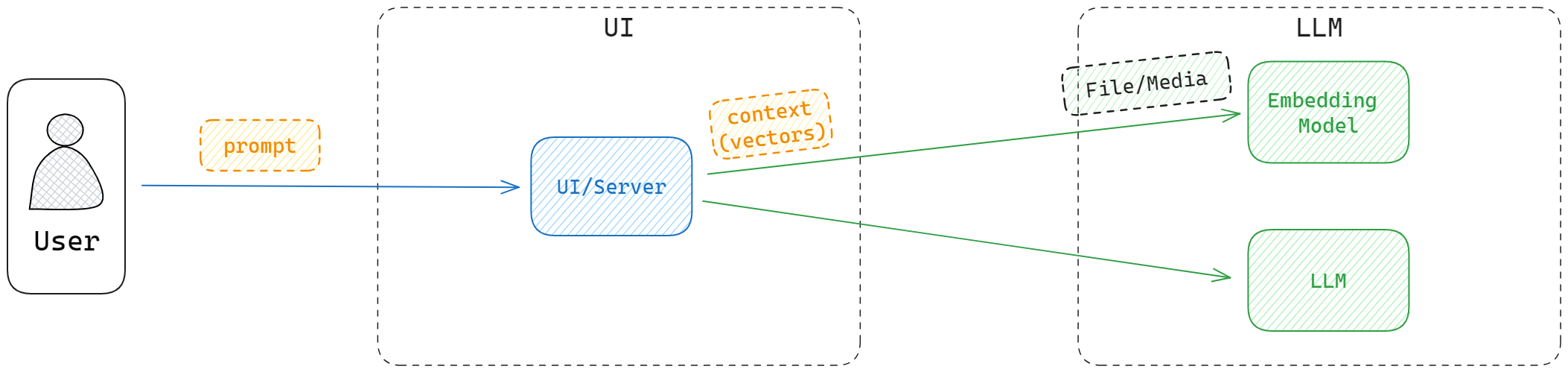
- Logseq markdown indexing example: https://github.com/Anddd7/llm-logseq-reader/blob/main/example/Starter.ipynb
As usage grows (bigger context, more users, higher QPS), we add databases and caches:
- Vector DB stores embeddings and supports similarity search
- Within limited context windows, you still feed the most relevant content
- Cache stores previous questions and answers
- Reduces model calls for similar queries
- Provides conversational history to avoid "amnesia"
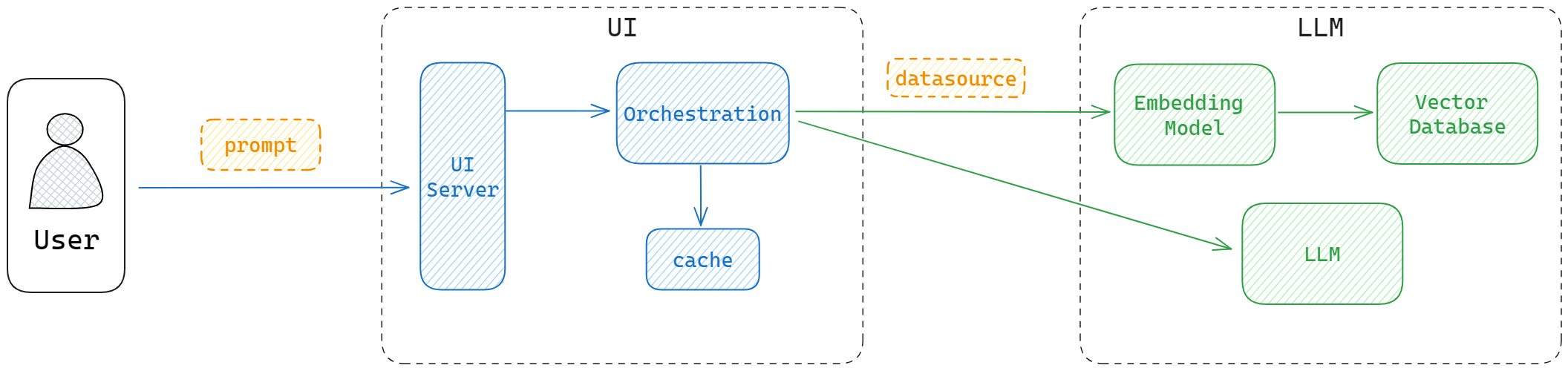
Developing and Deploying LLM Apps
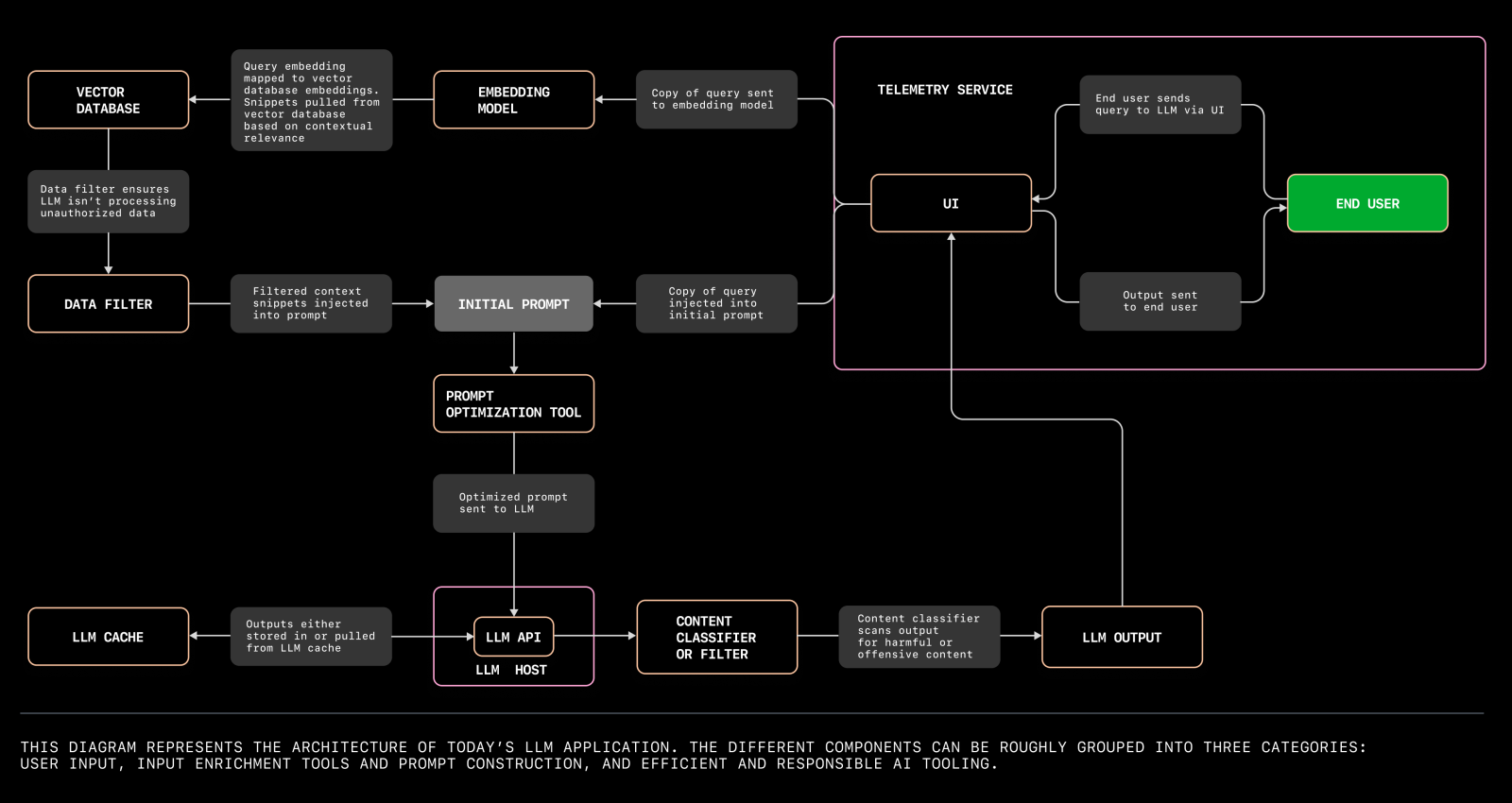
Reference: The architecture of today’s LLM applications
From a traditional perspective, an LLM app is still:
- UI
- Server
- DB
The difference is that the model runtime pulls in a lot of extra dependencies (weights, GPU, runtimes), and is often treated as a separate tier.
Tools like Ollama smooth this out by providing:
- A local model registry and runtime
- A simple CLI and HTTP API over many models
Available Commands:
  serve       Start ollama
  create      Create a model from a Modelfile
  show        Show information for a model
  run         Run a model
  pull        Pull a model from a registry
  push        Push a model to a registry
  list        List models
  cp          Copy a model
  rm          Remove a model
  help        Help about any command
With Ollama in place, you don’t need to stand up your own model server. Just call Ollama and focus on orchestration, where LangChain is still the de facto first choice.
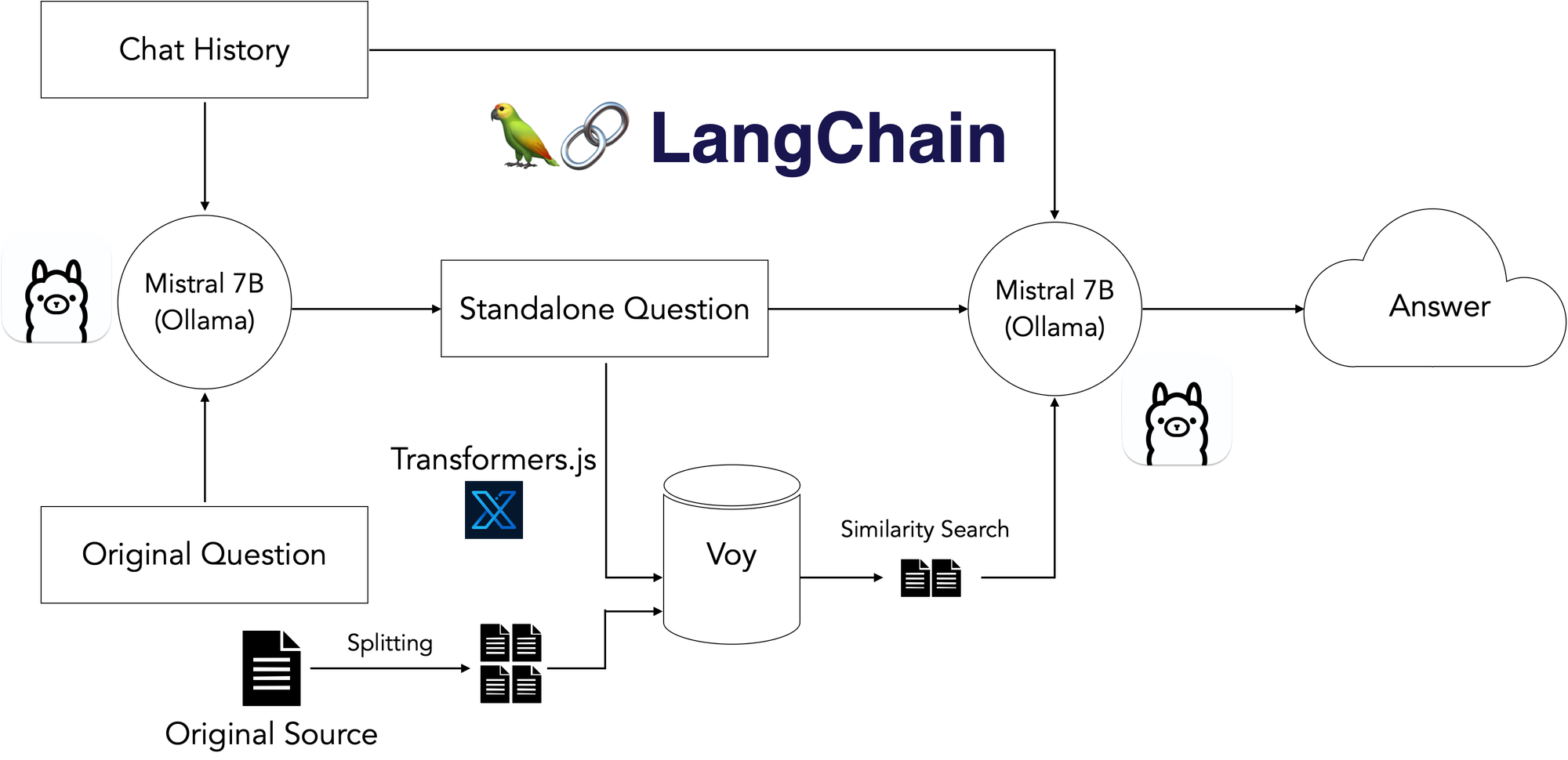
If you already know how to build a 3‑tier web app, you’re 80% of the way there. The remaining 20% is about:
- Picking the right model(s)
- Designing prompts and chains
- Managing context, latency and cost
- Observability for prompts and responses
Everything else is just engineering.