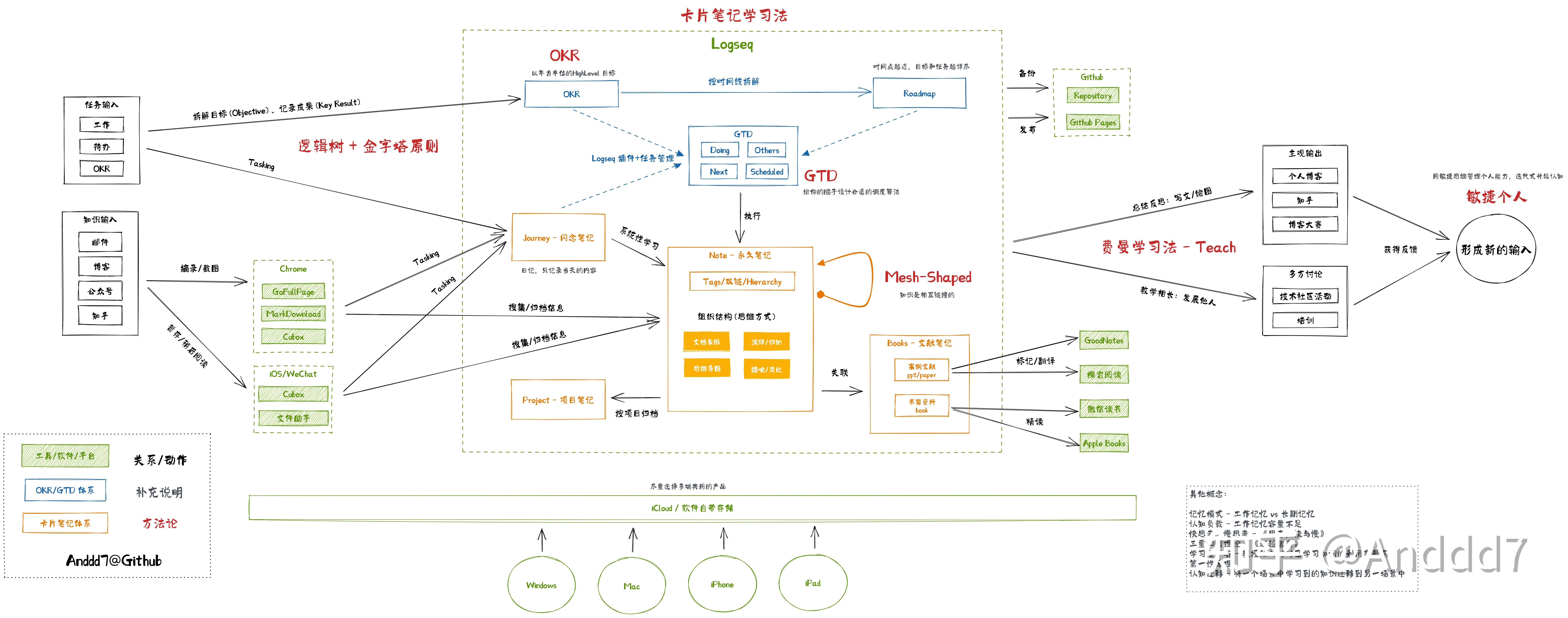
After writing "Mesh-Shaped: How to Grow as a Cloud-Native Developer" earlier this year, I have been iterating on my personal knowledge management (PKM) system.
The way you manage knowledge reflects how you think — and your thinking path determines output quality.
The current workflow has been stable for a while. It combines tools, methods, and collaboration habits. This article breaks it down visually so you can reuse modules as needed.
Input
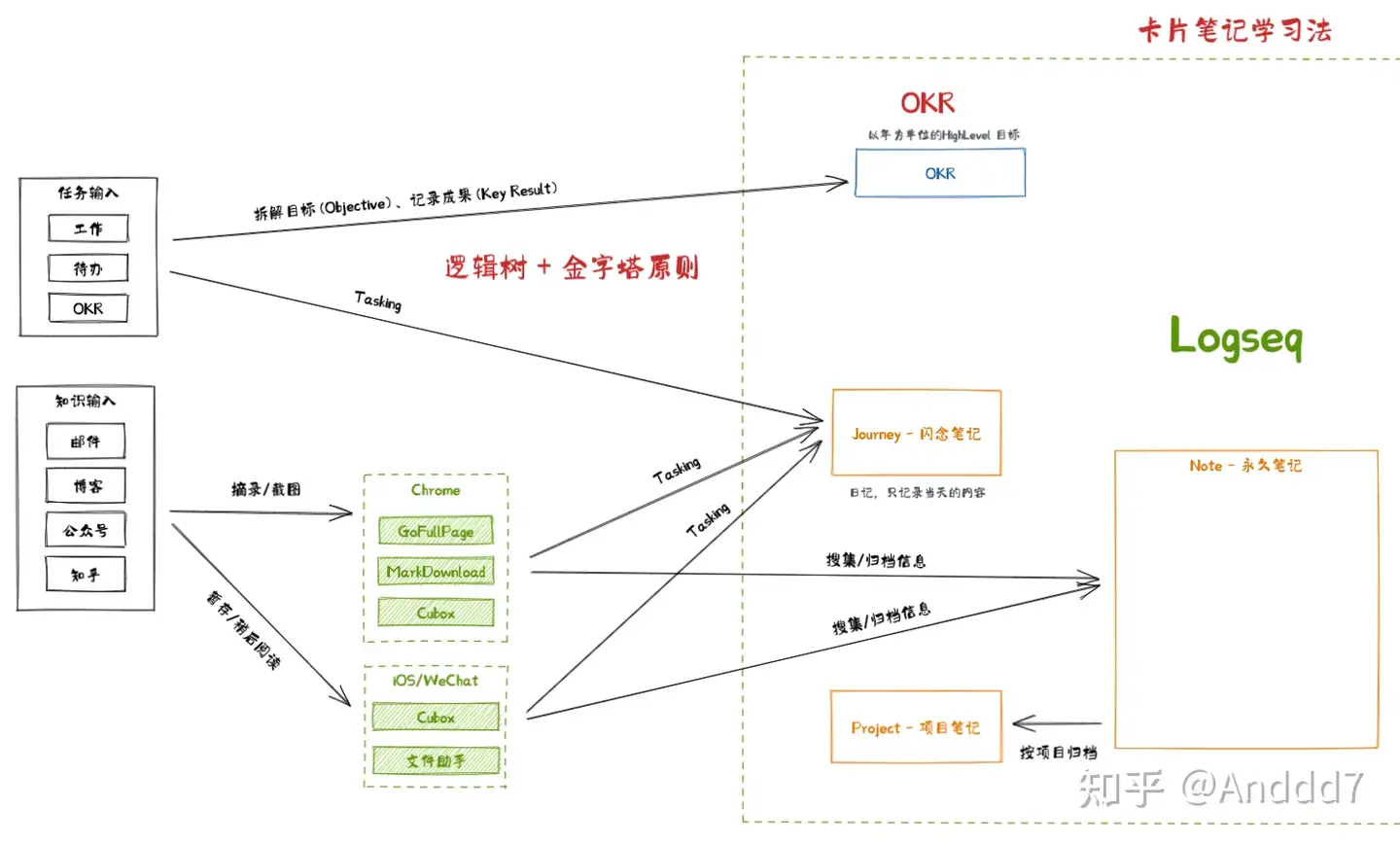
Methods
- How to Take Smart Notes
- OKR
- Logic trees
Input Types
- Task input: goal‑oriented work with clear deliverables and time windows (SMART principle).
- Knowledge input: research, exploration, and reading around a topic, often with attachments (books, papers, images, slides).
Tools
- GoFullPage: Chrome extension for full‑page screenshots.
- MarkDownload: Chrome extension to save pages or selections as markdown for Logseq.
- Cubox: Chrome/iOS/WeChat multi‑end collector and media box.
Cubox is powerful enough that if your ratio of collecting > producing is high, using Cubox alone can work. I use Cubox as an inbox: when I see an article or thread worth keeping, I send it to Cubox first and later consume it via GTD/Logseq.
Notes
Logseq is the core. Combined with card‑style notes, I separate pages by role:
- Journey: daily journal pages generated by Logseq; good for scratch notes. TODOs are the only thing that must be tracked.
- Note: regular pages.
- Project: also pages, but with prefixes to indicate project scope.
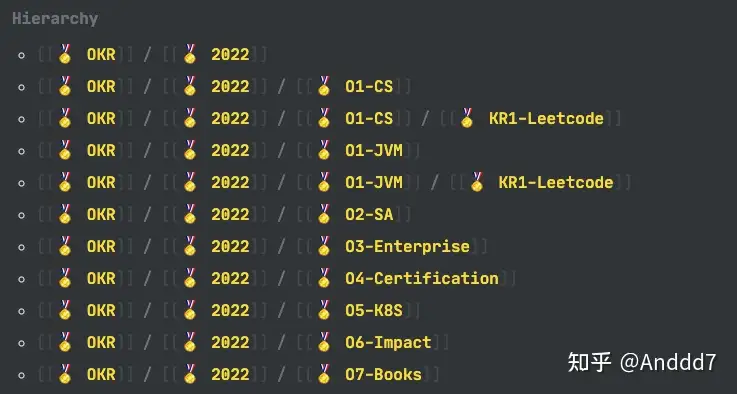
- OKR: pages organized via tags/hierarchy/query to track objectives.
Iteration
Methods
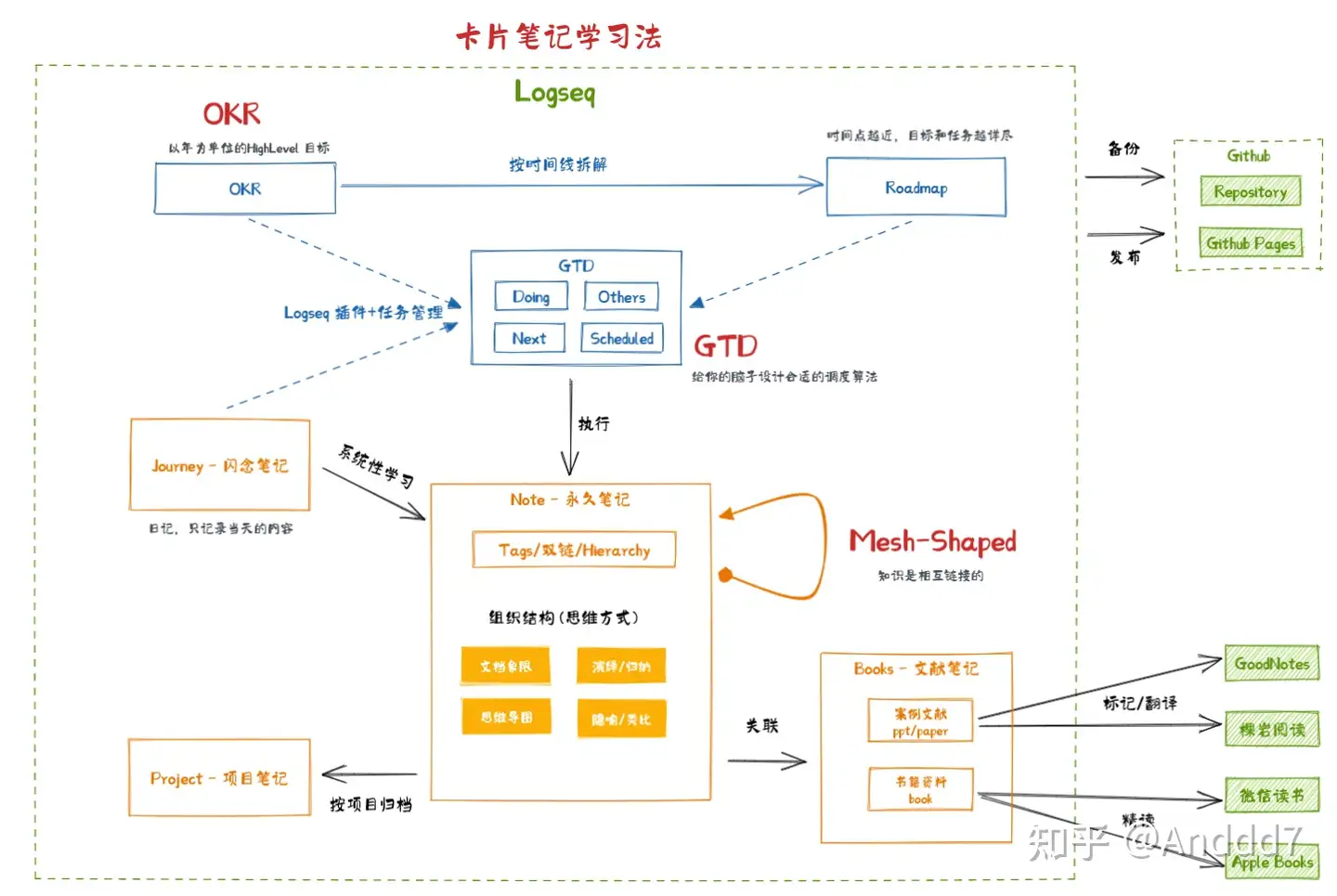
- OKR
- GTD (Getting Things Done)
- Mesh‑Shaped mindset
Task Space
- OKR: as above.
- Roadmap: monthly breakdown of OKRs into executable tasks.
- GTD: categorized TODO management.
Logseq queries pull tasks by priority, tag, keywords, and status.
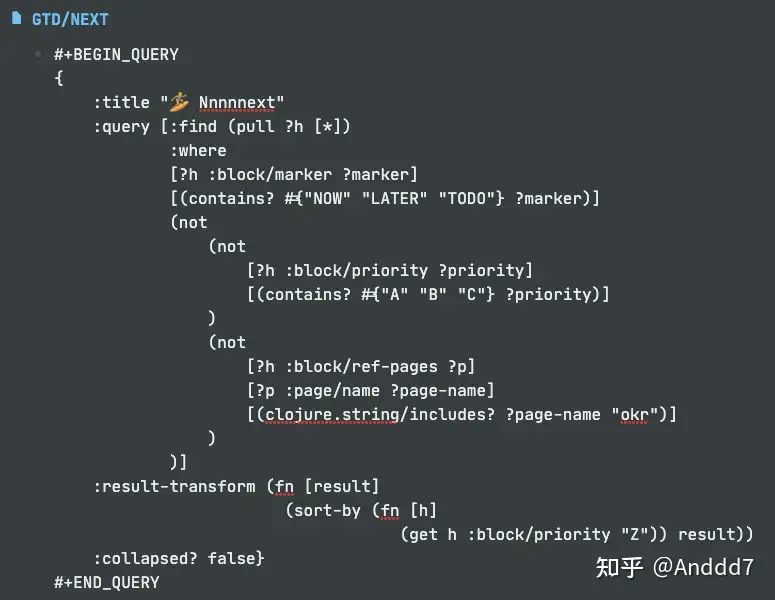
You can also wire key queries into your Journey template so critical items show on each day’s front page.
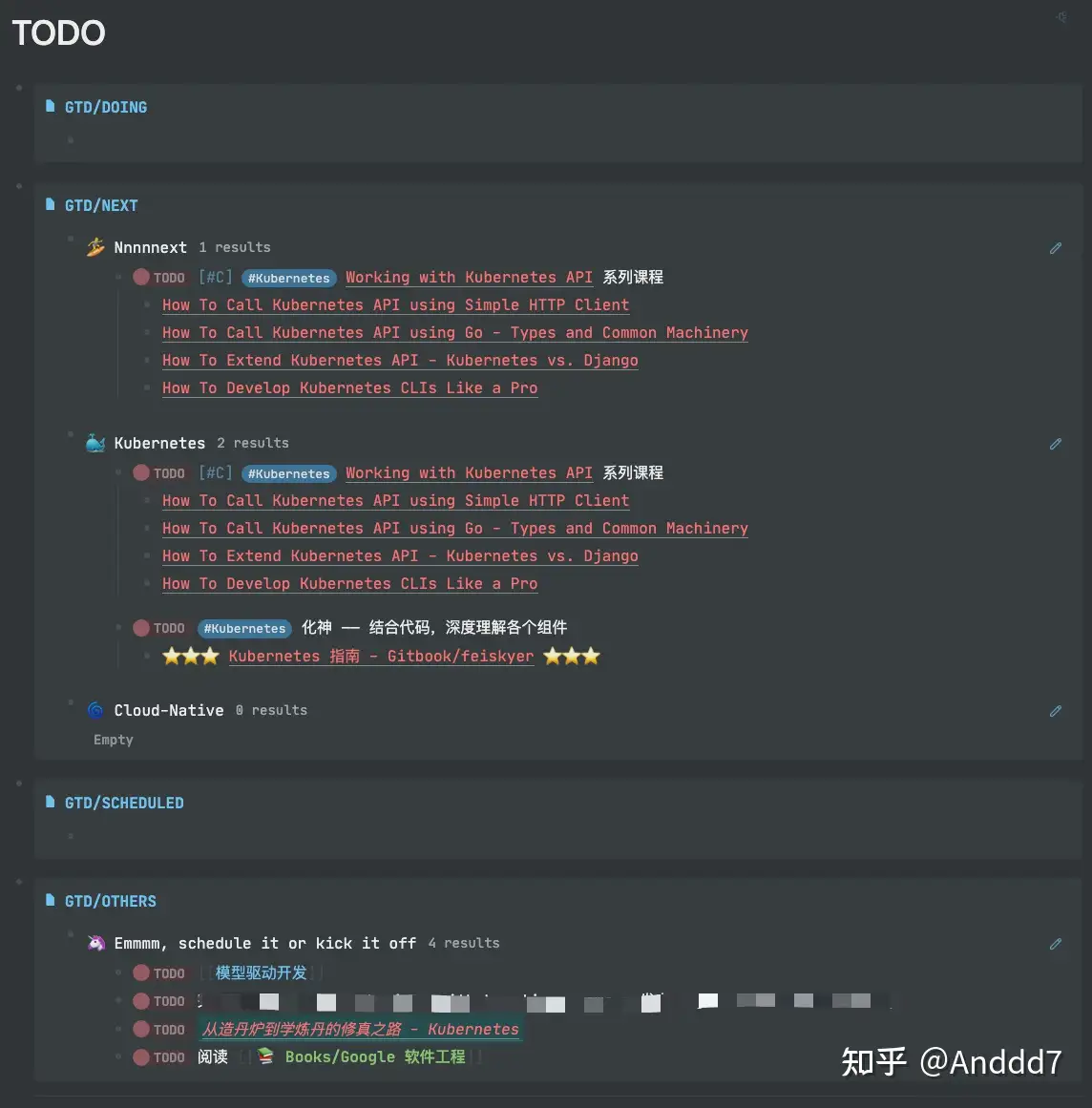
Note Space
The core is treating permanent notes as the real knowledge base, following smart‑notes style:
- Journey drafts can be disposable (unfinished TODOs are still caught by GTD queries).
- Project/Book pages often act as aggregators.
- Permanent notes are the real assets.
A note landing in "permanent" does not mean it will stay useful forever:
- Structure matters: Logseq’s outliner pushes toward tree‑like organization inside a page. When a page grows large, split by sections (quadrants) or child pages (hierarchy).
- Only linked knowledge is effective knowledge. The more associations you create — even playful ones like "Agile project management applied to home renovation" — the deeper it sticks and the more cross‑domain reuse you get.
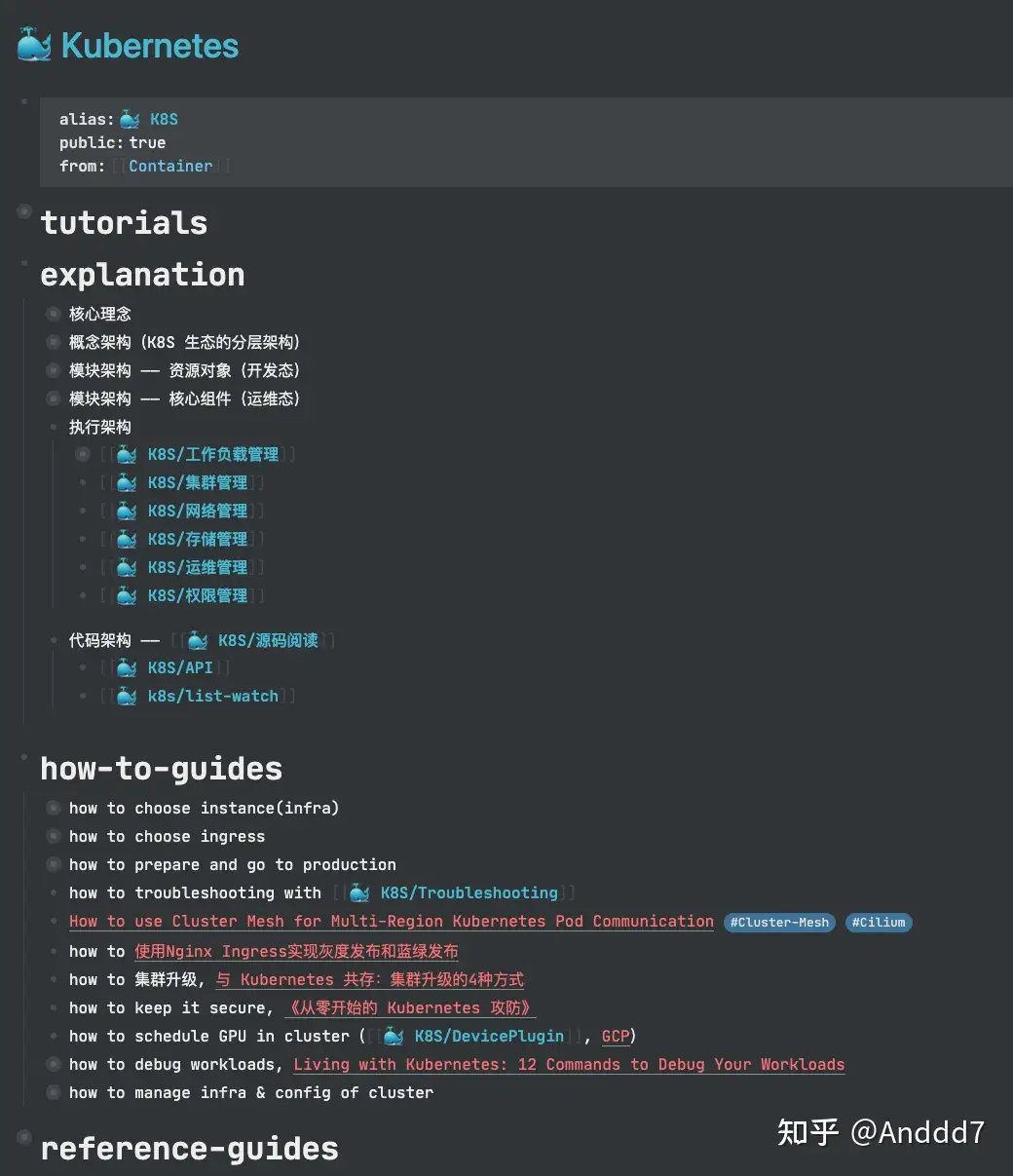
Other Tools
- GitHub: backup repo; you can also export Logseq and host a double‑linked graph site with GitHub Pages.
- GoodNotes, KOReader, WeChat Reading, Apple Books: for long‑form reading (books, English papers, annotated slides) an iPad + Pencil workflow can be more comfortable than Logseq’s builtin PDF viewer.
Output
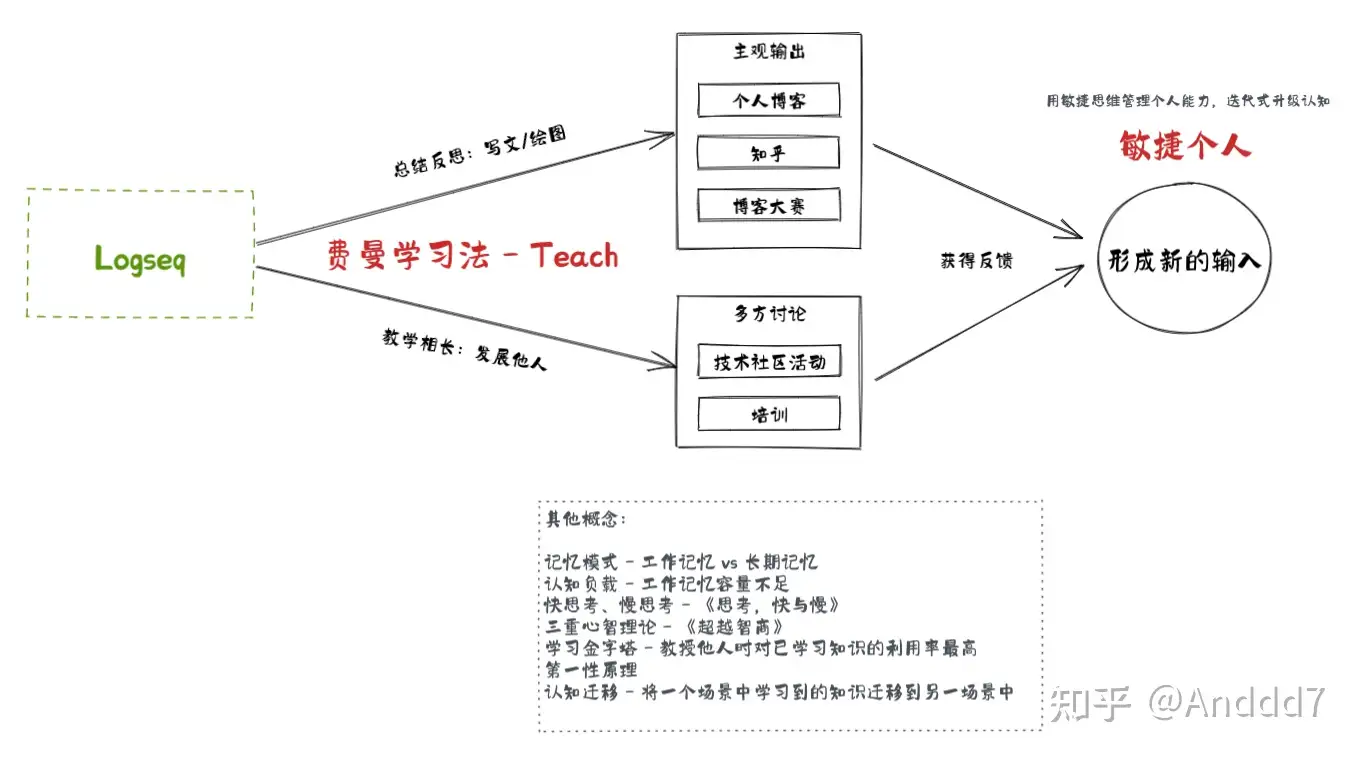
Methods
- Feynman technique.
- Agile personal productivity.
- Other ideas in the diagram.
Output
- The key is feedback: publishing forces you to re‑structure knowledge; feedback forces you to re‑shape models.
Summary
“If knowledge is neither stored nor learned in isolation, but collected into a network of ideas — a latticework of mental models — then new information becomes easier to understand, remember, and retrieve.”
"Only when individuals build networks, can networks form around them"
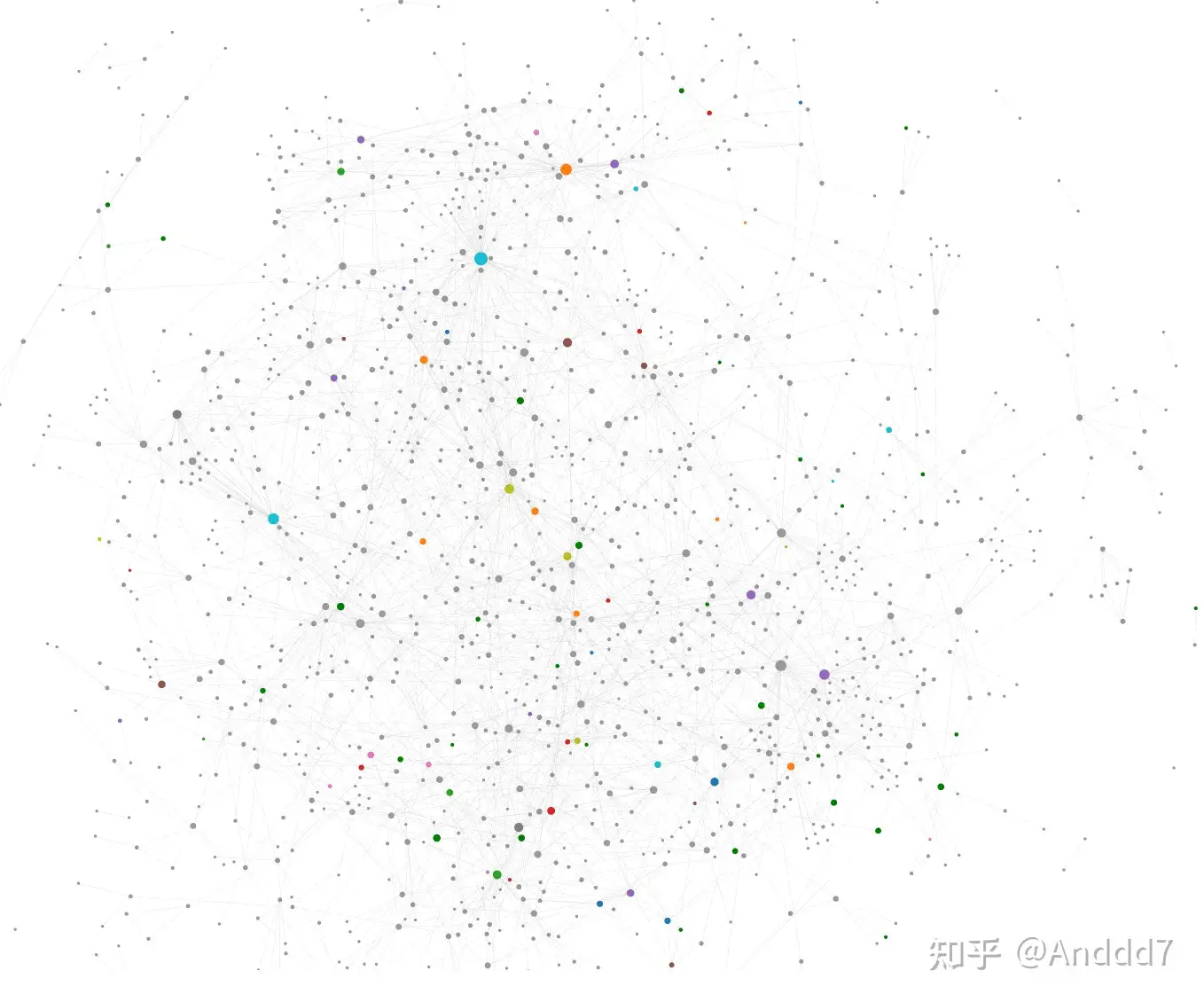
As you build a larger capability mesh, your environment — people, opportunities, projects — starts to organize around it. That is where PKM turns into real career leverage.